
In the ever-evolving landscape of higher education, institutions need, simple, efficient, and user-friendly systems to serve their students. Campus Solutions PeopleSoft, a comprehensive suite designed to manage the entire student lifecycle, has introduced a New User Registration framework (NUR) makes it easy for users tosign in, create accounts, and securely access online self-service features.
Key Features: Create or Connect Your Account: Set up a new account or link your existing credentials
This blog explores the implementation strategies of this framework.
Implementing the New User Registration Framework in Campus Solutions PeopleSoft involves several technical requirements. Here’s a step-by-step guide to implementing the New User Registration Framework in Campus Solutions PeopleSoft:
Step 1: Set Up New User Registration Context – Set up the New User Registration Context, which includes defining context IDs, security roles, and target pages.
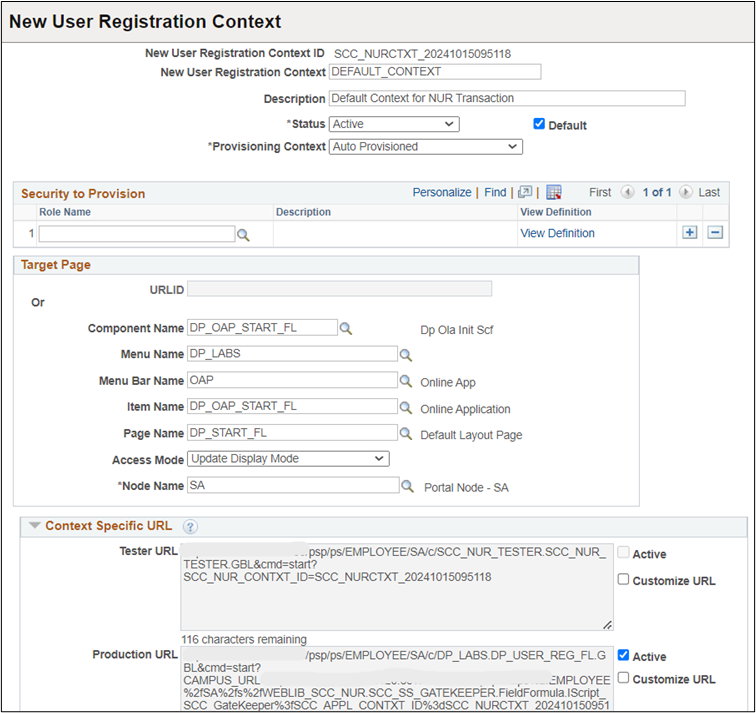
Step 2: Configure Security Roles – Configure security roles to ensure users have the necessary permissions to access specific pages and perform transactions.
Step 3: Integrate with Constituent Transaction Management (CTM) – Utilize CTM for managing constituent data during the registration process.
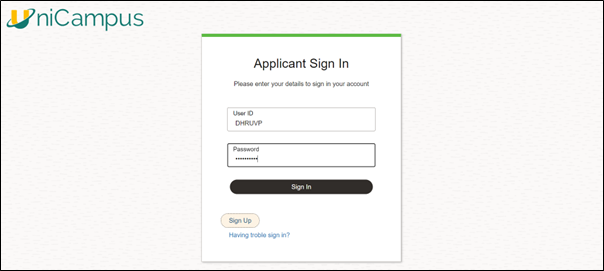
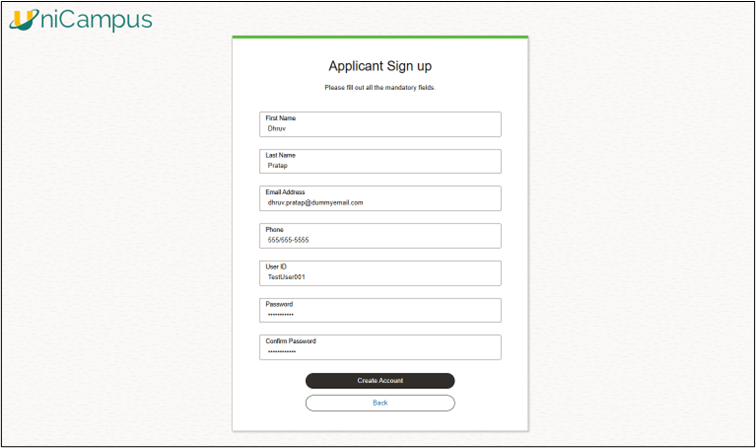
Step 4: Develop Custom Login Pages – Develop a login pages (Peoplesoft Fluid Page) that integrate with the New User Registration framework. These pages should handle user creation, authentication, and redirection to target pages. Ensure pages are mobile-compatible and user-friendly (Leverage PeopleSoft Fluid Capabilities).
Applicant Sign-In Page (**Peoplesoft Fluid Page) –
Applicant Sign-Up Page (**Peoplesoft Fluid Page) –
Step 5: Implement Web Services
Step 6: Conduct Pilot Testing – Conduct thorough testing using the New User Registration Tester page to ensure all components work as expected before full deployment.
Step 7: Deploy and Monitor – Continuously monitor the system and gather user feedback to make necessary adjustments and improvements.
By following these steps, you can successfully implement the New User Registration Framework in Campus Solutions PeopleSoft, enhancing the registration process for new users.
The New User Registration Framework in Campus Solutions PeopleSoft transforms how educational institutions manage the student lifecycle by delivering on three key benefits:
Important: To implement NUR framework, PeopleSoft developer must have knowledge of Peoplesoft Security, Integration Broker, Web Services, Constituent Transaction Management (CTM).
For more information, please visit below link (Oracle PS Campus solution) – https://docs.oracle.com/cd/G13320_01/cs92pbr33/eng/cs/lscc/UnderstandingNewUserRegistration-438000.html